
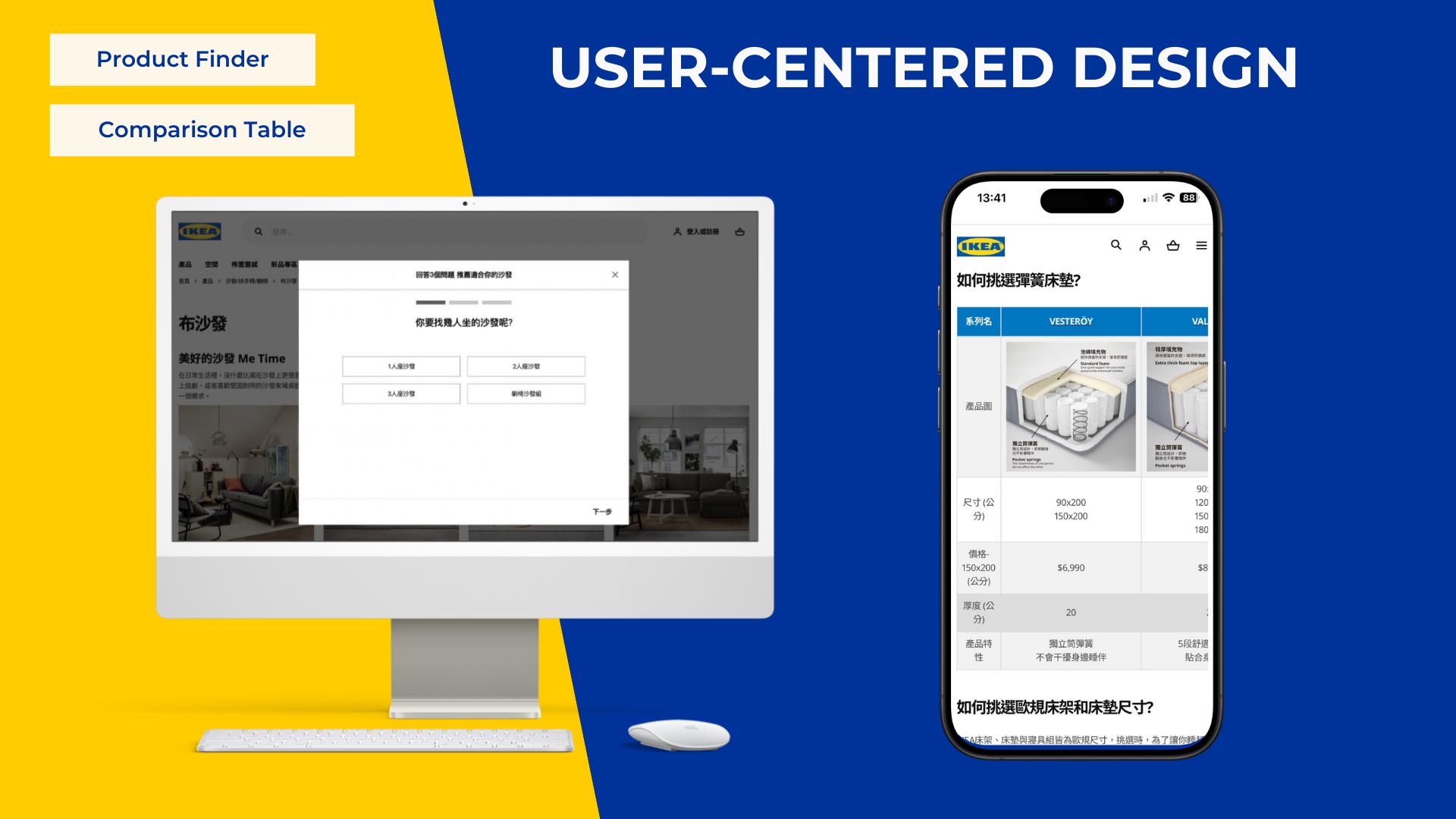
A/B Testing
Web Enhancements
IKEA A/B Testing and Navigation Redesign
#In-house Project
Completed
Play Verto, a UK-based gamified data collection platform. The main goal of the redesign project was to enhance the survey results page for mobile devices by streamlining multiple questions, providing richer insights, and making personal vs. public data comparison intuitive on a limited screen.
As UI/UX Designer, I analyzed client goals and reframed them into user-centric problems. I designed a mobile-friendly layout, restructured content for better usability, readability and discoverability.
5 months
The screens shown in this portfolio are for illustrative purposes only and do not represent the actual project interface. All rights belong to the original owner.
Need #1
View multiple questions for mobile
Need #2
Need #3
Heuristic Evaluation
Flexibility & efficiency of use
Problem #1
Excessive scrolling
→ loss of context
Heuristic Evaluation
Visibility of system status
Problem #2
Hidden filters
→ unclear applied state
Heuristic Evaluation
Match between system and real world
Problem #3
Sync icon
→ misleading interaction
Solution #1
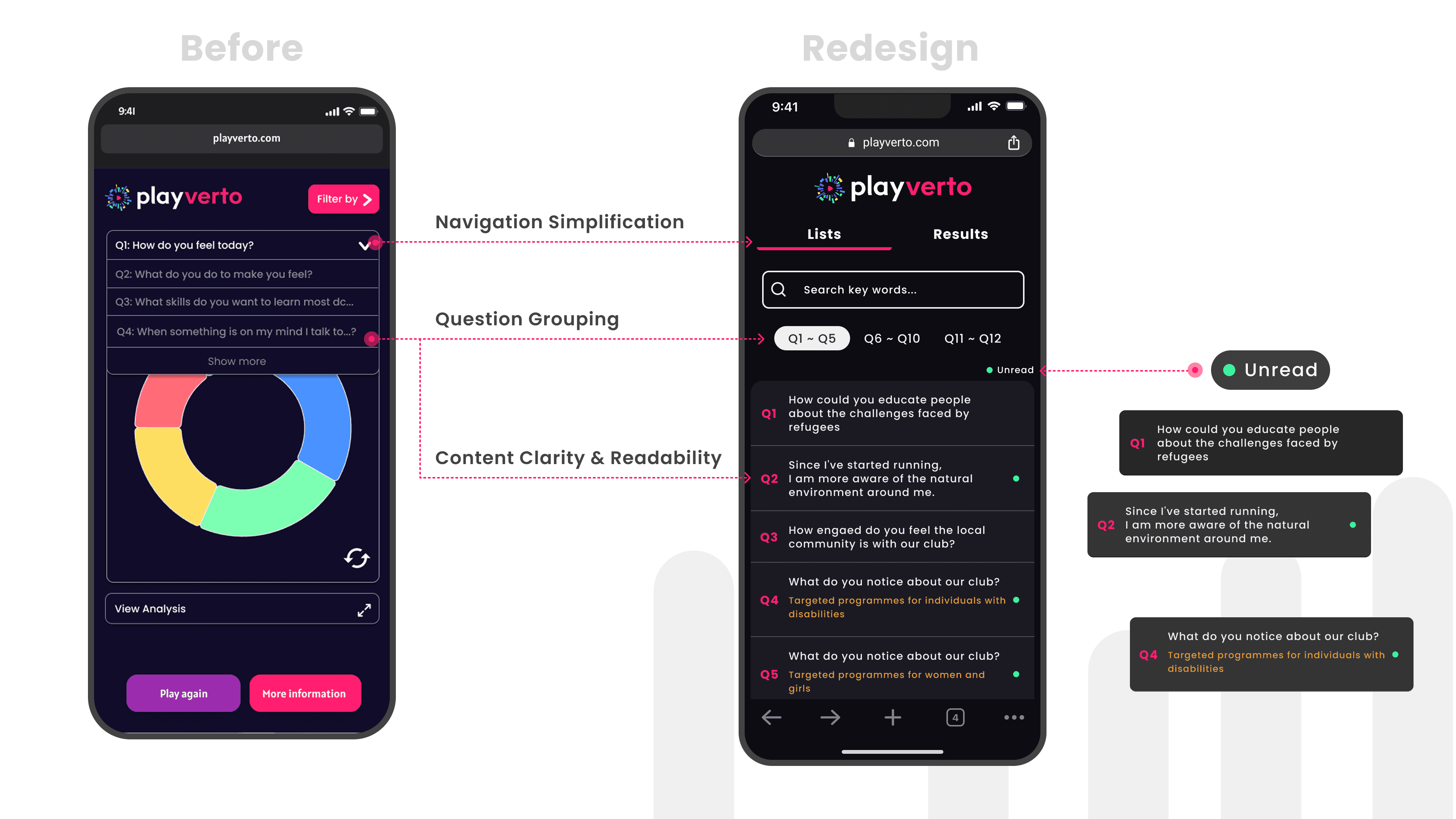
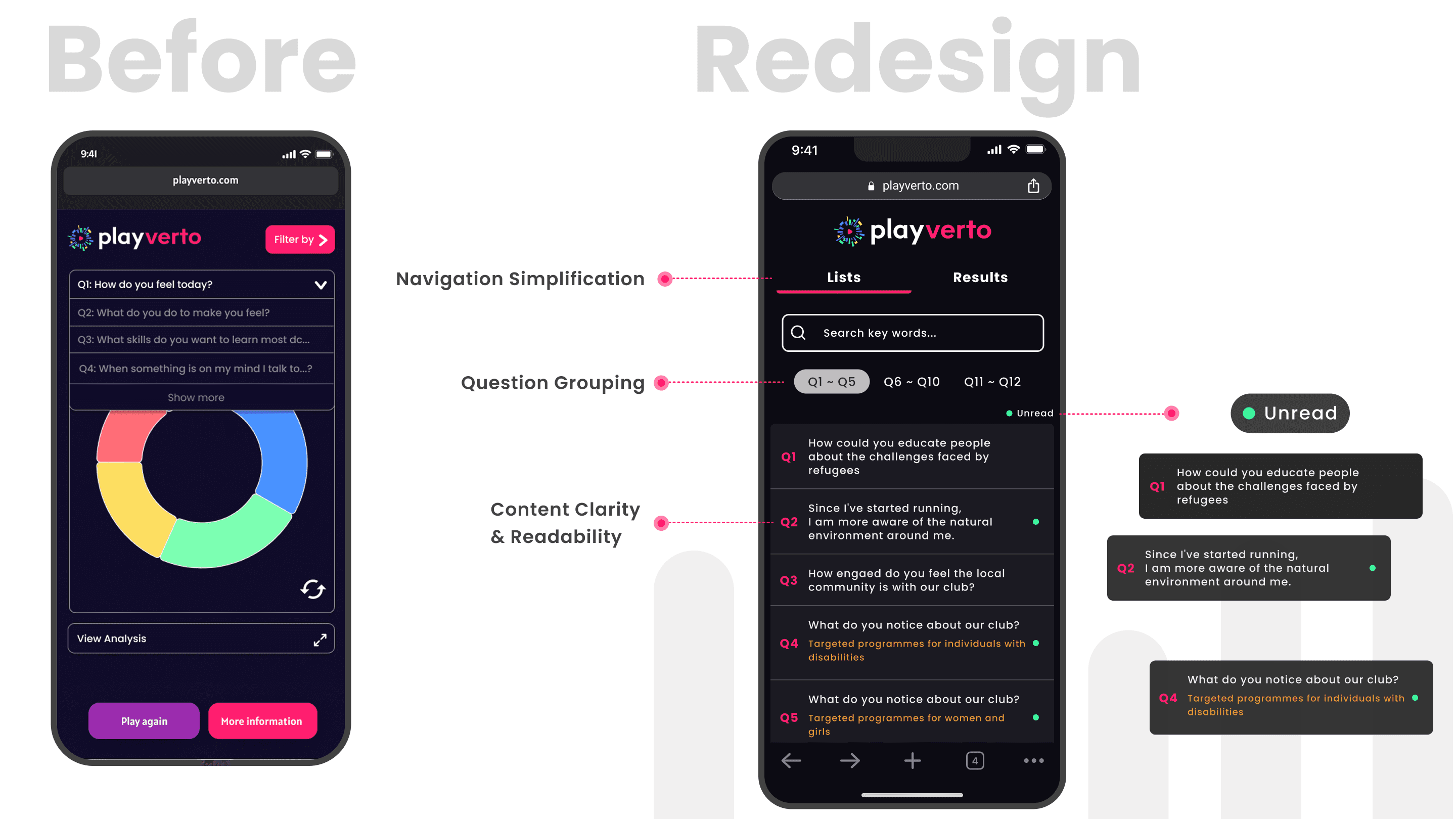
Chunked Questions with Unread Cues
Broke down questions into digestible chunks and displayed unread indicators to reduce cognitive load.
Solution #2
Exposed Key Filters with Clear States
Exposed frequently used filters at the first level and provided clear feedback on active states.
Solution #3
Clarified Data Access and Drove Exploration
Replaced the ambiguous sync icon with a Me / Others toggle and added preview insights to drive exploration.
Users on mobile devices found it difficult to view and navigate through multiple questions, leading to cognitive overload and lower completion rates. Additionally, incomplete visibility of questions and lack of clear progress indicators reduced clarity and engagement.
Early wireframes featured eye-catching cover photos for each chart and bundled related questions to intrigue users. While this improved the emotional appeal, it brought major downsides:
High manual effort for content curation
Increased development complexity and cost
Redesigned the survey results page by replacing the dropdown menu with grouped tabs, breaking down 20+ questions into digestible chunks. This reduced vertical scrolling and cognitive load while enhancing clarity with full question text and unread indicators that guided users toward unexplored areas.
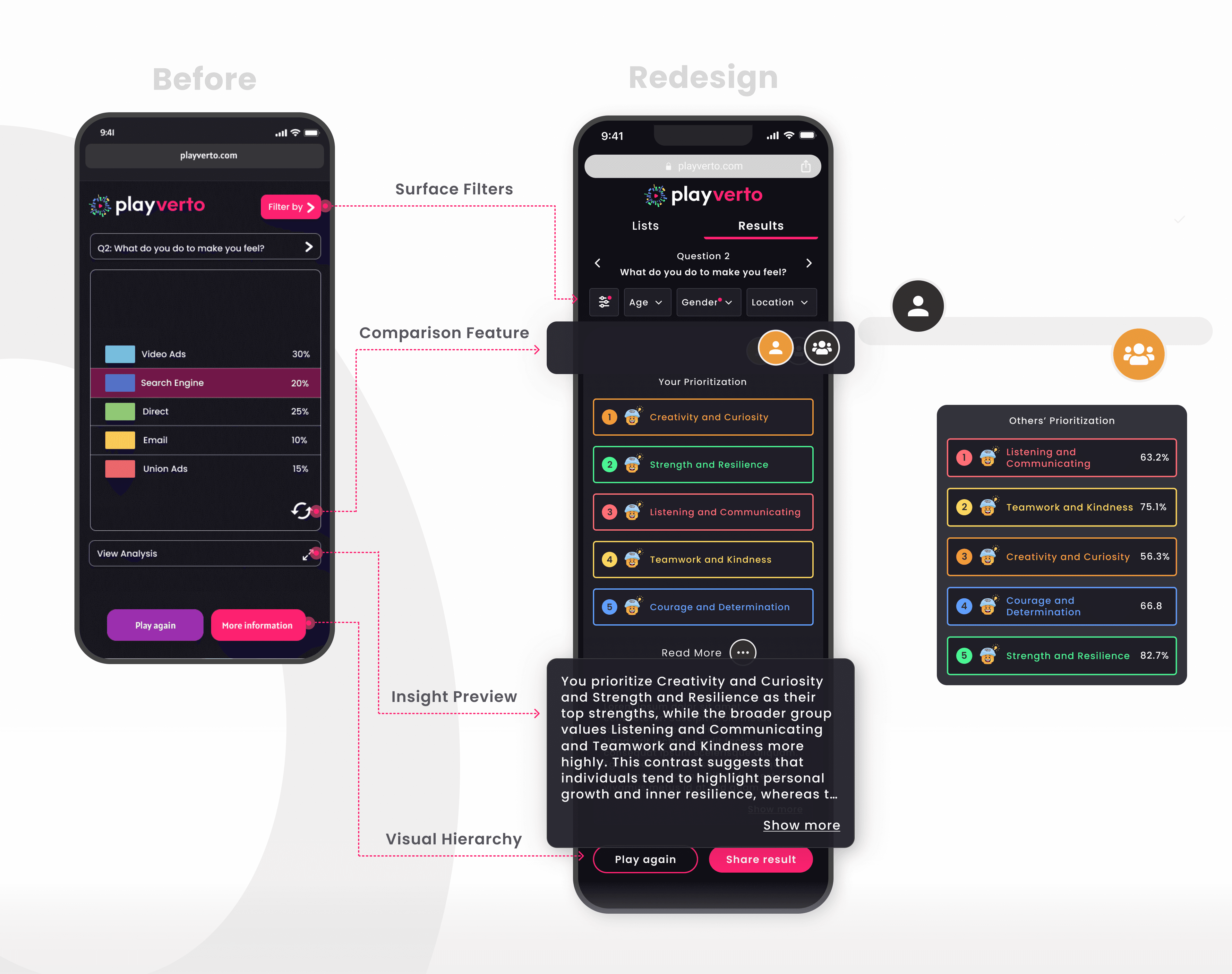
The variety of data types made it hard to read results and extract insights, while users also needed to compare across multiple valuable datasets.
Adjusted surface filters to make selected options clearer, introduced a one-click comparison and preview insights to highlight key differences, refined the button hierarchy to emphasize the primary action, and recommended changing the primary button label from “More information” to “Share result” to better align with the product’s goal of sparking user curiosity and encouraging data engagement.
Recognizing redesign constraints—such as existing materials or technological limits—is key to smooth development. In brainstorming, generating multiple ideas and presenting at least two proposals helps stakeholders compare approaches; even if not all are adopted, strong elements can be combined to inspire better solutions.