Design System
Building Accessible, and Scalable Design System
#Client Project
Completed
Designed a content management system (CMS) featuring rich dialog panels and intuitive user flows to streamline main tasks, with a focus on supporting new users.
UI/UX Designer - planned user flows, designed information architecture, optimized visual hierarchy, and created high-fidelity prototypes.
1 month
The screens shown in this portfolio are for illustrative purposes only and do not represent the actual project interface. All rights belong to the original owner.
Designed modular dialog panels that adapt to various content types.
Implemented progressive disclosure techniques, reducing cognitive load.
Added frontend preview and guidance and clarify input purposes.
Consolidate multiple tasks within a single interface to maintain the flow state . A circular graphic combined with intuitive cues allows users to visualize their progress and freely jump between steps.
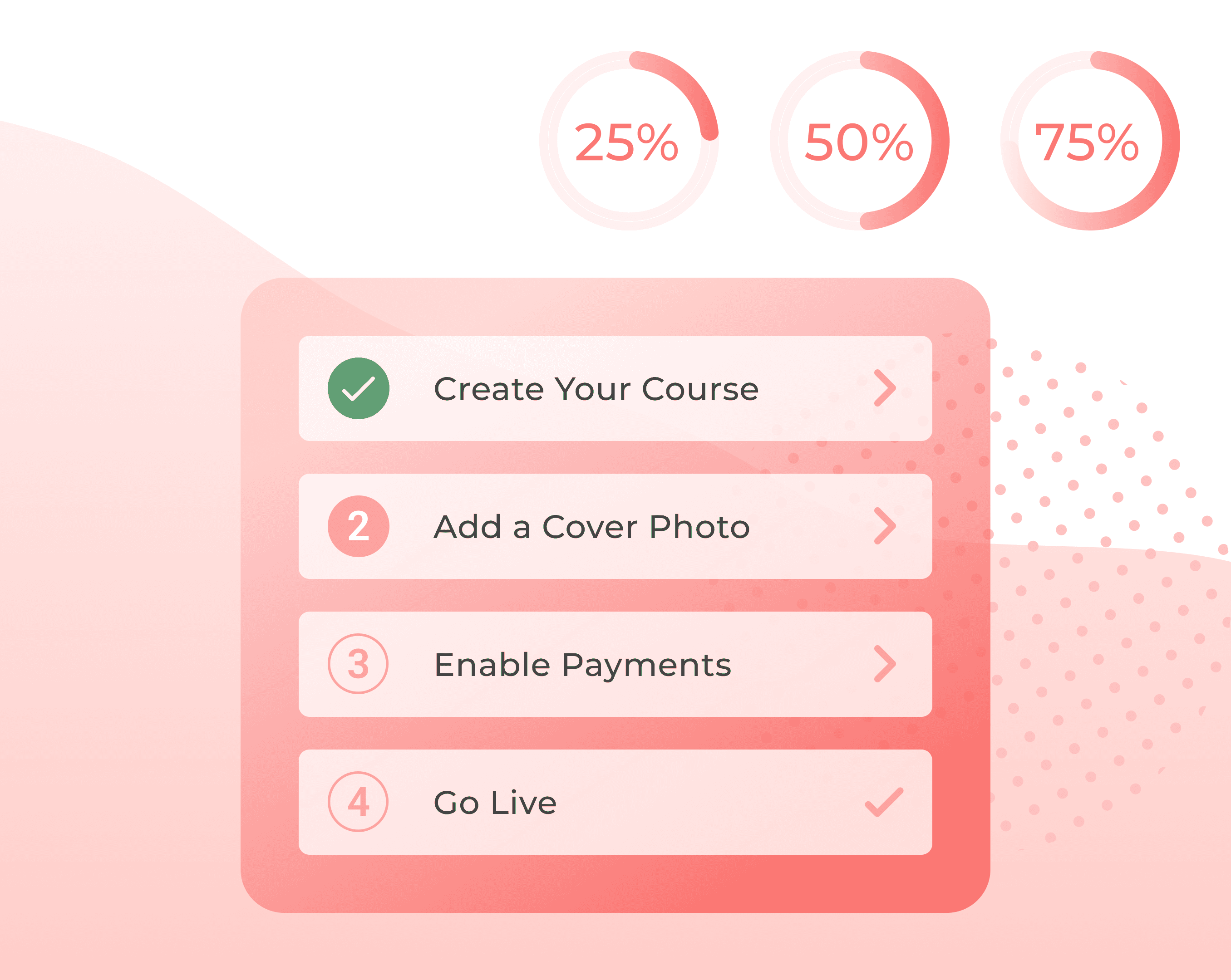
Settings were distributed across multiple pages, making it difficult for users to locate and complete all necessary configurations efficiently.
Consolidated all essential settings into a single and designed a clickable progress tracker, allowing users to understand the current step with clear visual feedback.
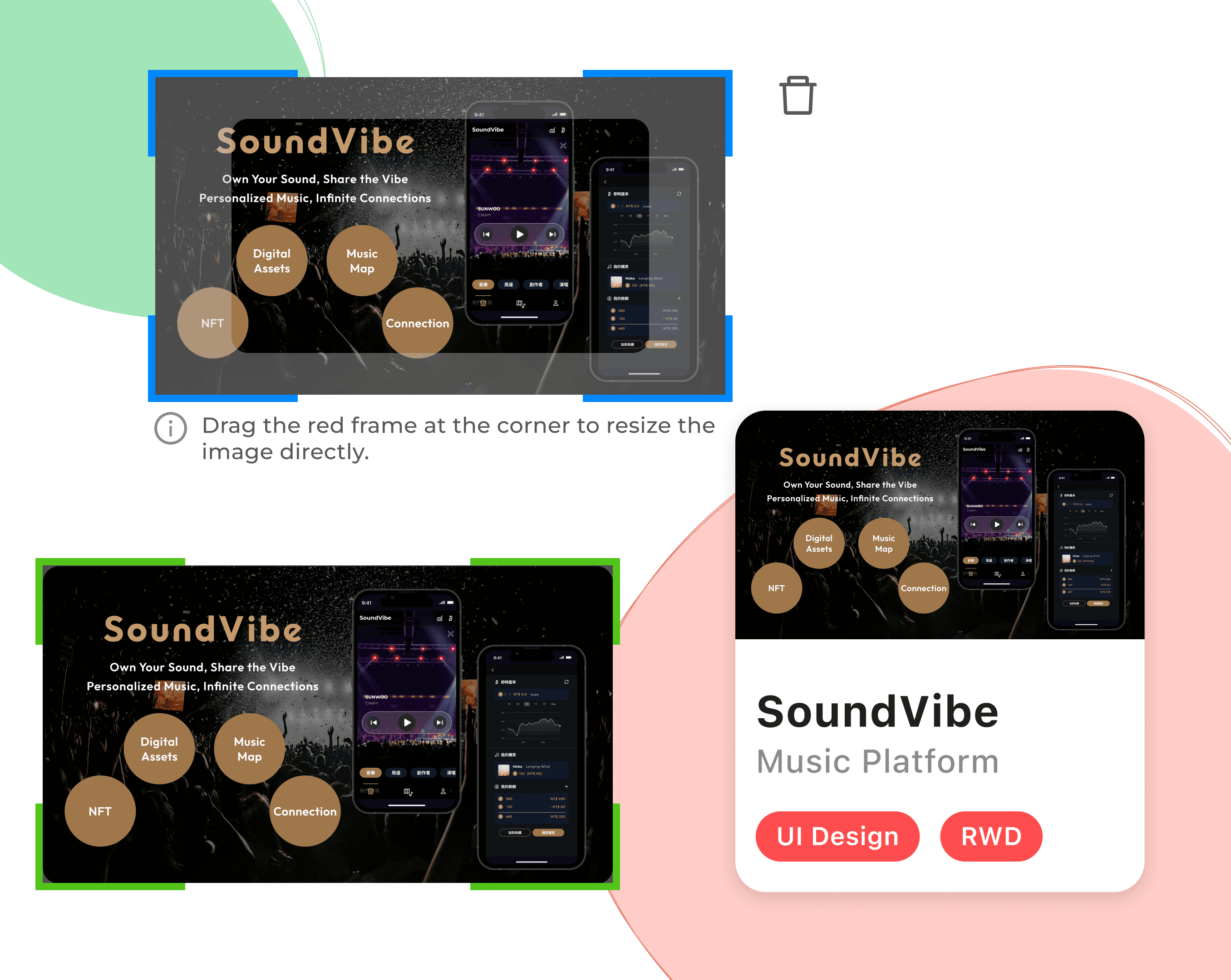
Instant feedback on input and image uploads and clear resolution guidelines help users enter the right assets with confidence.
According to feedback, many users do not have experience with website building. They struggle to understand the frontend placement and image uploads, which increase their frustration to complete the onboarding process.
By introducing a preview mode in the settings panel with real-time frontend reflection and clear inline guidance, users receive immediate visual feedback and helpful tips as they adjust website details, which reduces confusion and hesitation.
Create a delightful sense of completion that motivates users to continue engaging with the system.
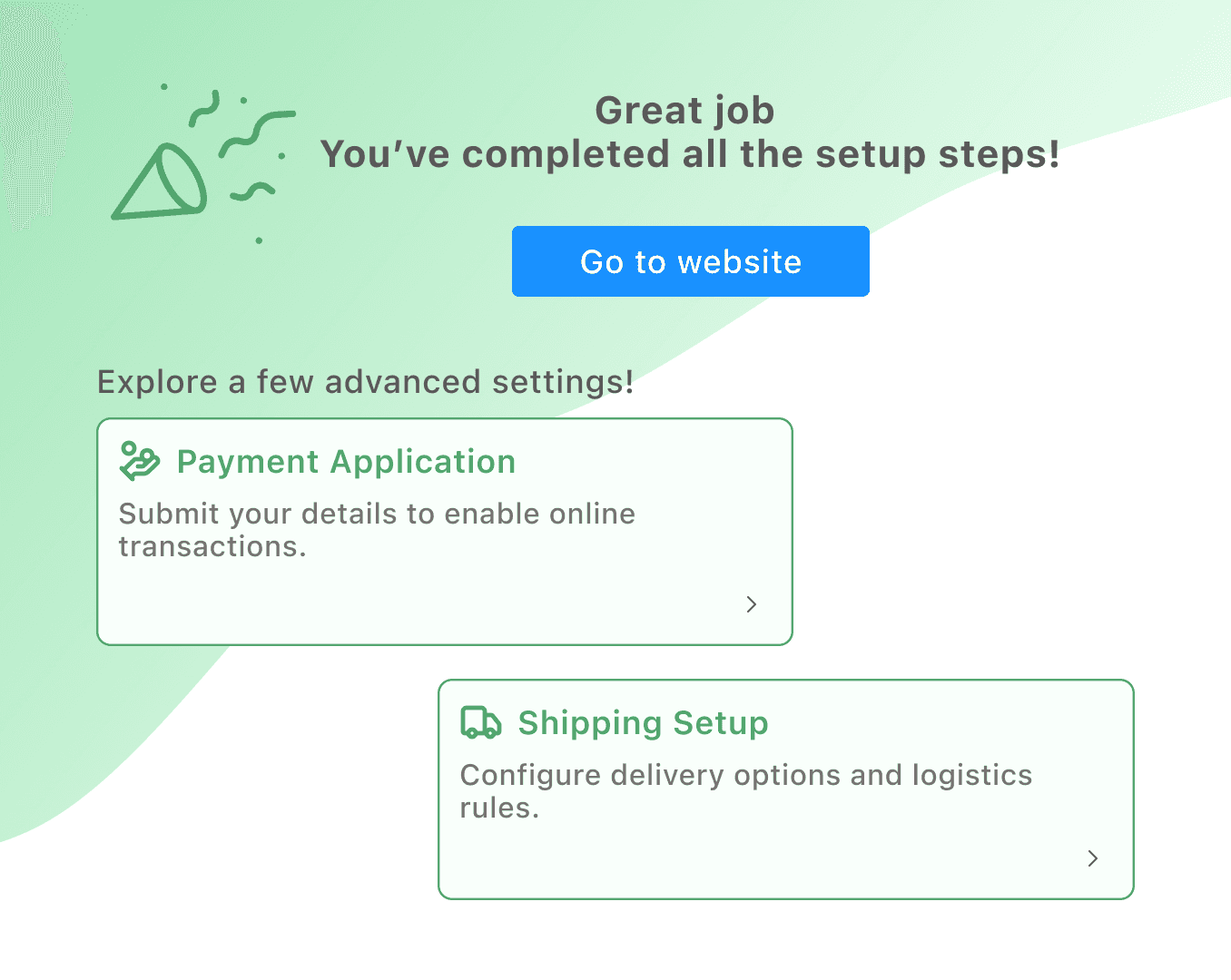
Users often lose momentum after completing setup steps. Without clear next steps, their workflow is easily interrupted. This leads to lower motivation to continue engaging with the system.
The design not only guides users through four key setup steps but also rewards completion. A confetti animation creates a moment of satisfaction and closure. Direct shortcuts connect users to the live site and related settings. This smooth transition keeps their momentum and encourages continuous use.