UX Analytics
Published:
2026/01
Tools
Clarity
Workflow
1. Review the recap report from Clarity
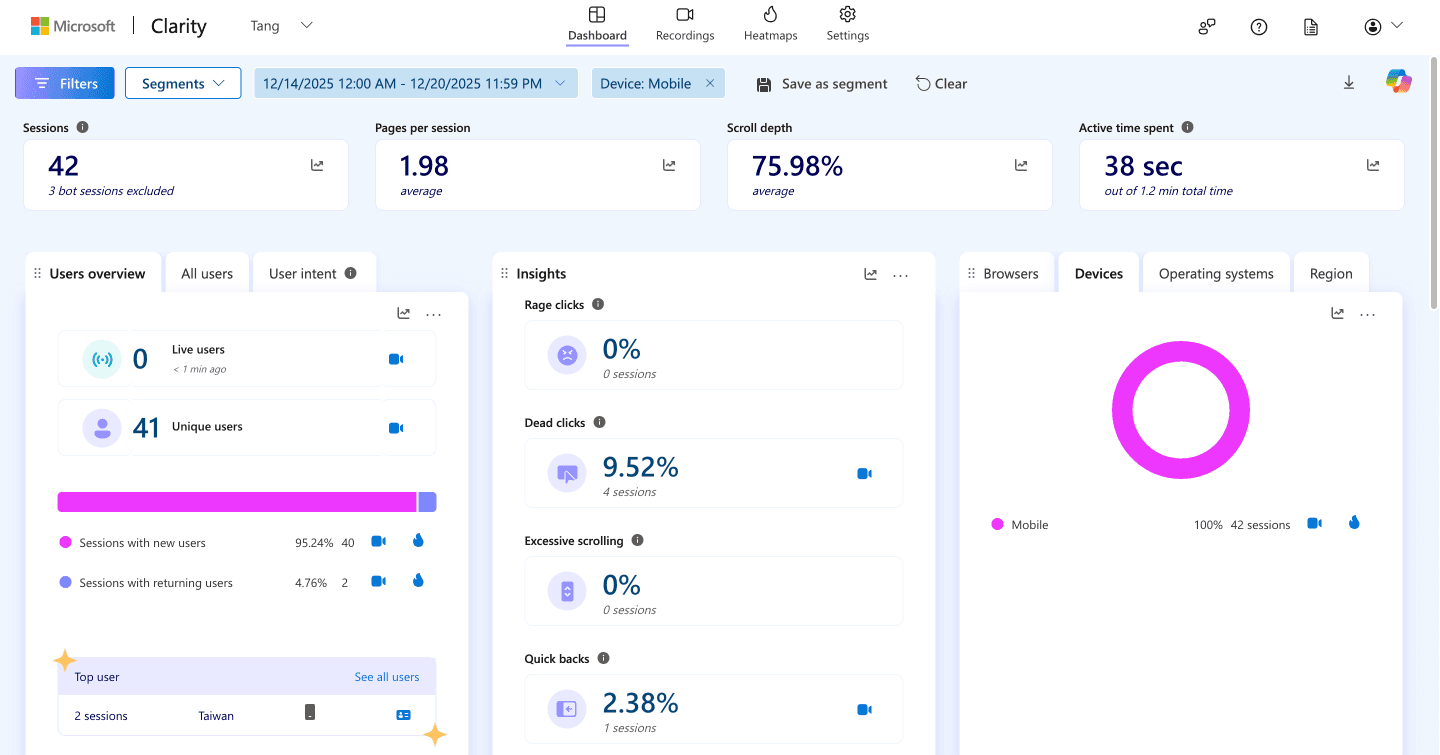
While checking the weekly recap, I noticed a 21.4% increase in dead clicks during Dec 14–20, 2025 compared to the previous week.
2. Dig into the details and identify insights from the data
I reviewed key metrics, heatmaps, and session recordings to understand where and how the dead clicks occurred. After segmenting users by device, I found that 75% of sessions came from mobile users, with a 9.52% dead click rate, while desktop users showed no dead clicks. Session recordings revealed that a non-functional menu item was the primary cause.
3. Adjust the design in Framer (Dec 26, 2025)
I fixed the breadcrumb and corrected the index label from 0 to 1 for clickable. I also increased the mobile menu touch target from 40px to 56px to improve tap accuracy.
4. Analyze results before and after
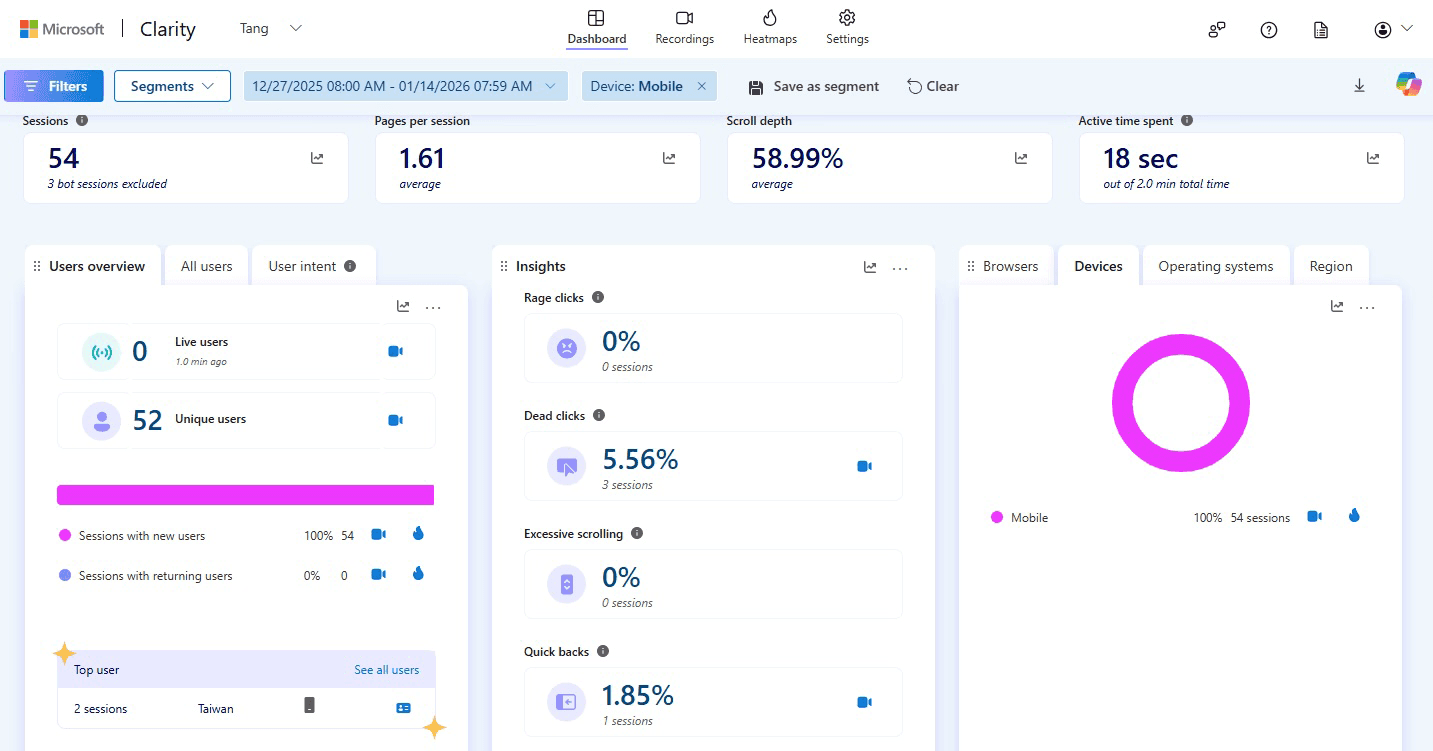
After the update, the dead click rate dropped from 9.52% to 5.56% between Dec 27, 2025 and Jan 14, 2026, with a comparable number of sessions during both periods.
Reflections
Dead clicks can easily cause users to miss important content, which is especially critical on a personal portfolio. With the help of Clarity reports, I was able to quickly identify the issue and address it before it led to further frustration. This experience reinforced how valuable lightweight analytics tools can be for catching usability issues early.
Looking Ahead
With a background in data analytics, I strongly believe in the value of data-driven design decisions. Moving forward, I plan to continuously monitor user behavior and refine experiences using tools like Microsoft Clarity and Google Analytics. Combining qualitative design thinking with quantitative insights will remain a key part of my workflow.