UX Evaluation
Published:
2025/12
Tools
Stitch, Heatmap, UI Evaluation
Workflow
1. Prepare the interface for evaluation
Build or refine the target screen you want to analyze, ensuring the layout and content are ready for heatmap prediction.
2. Adjust visual hierarchy & structure
Tune colors, spacing, and layout to clarify what you intend to test—making the heatmap results more meaningful.
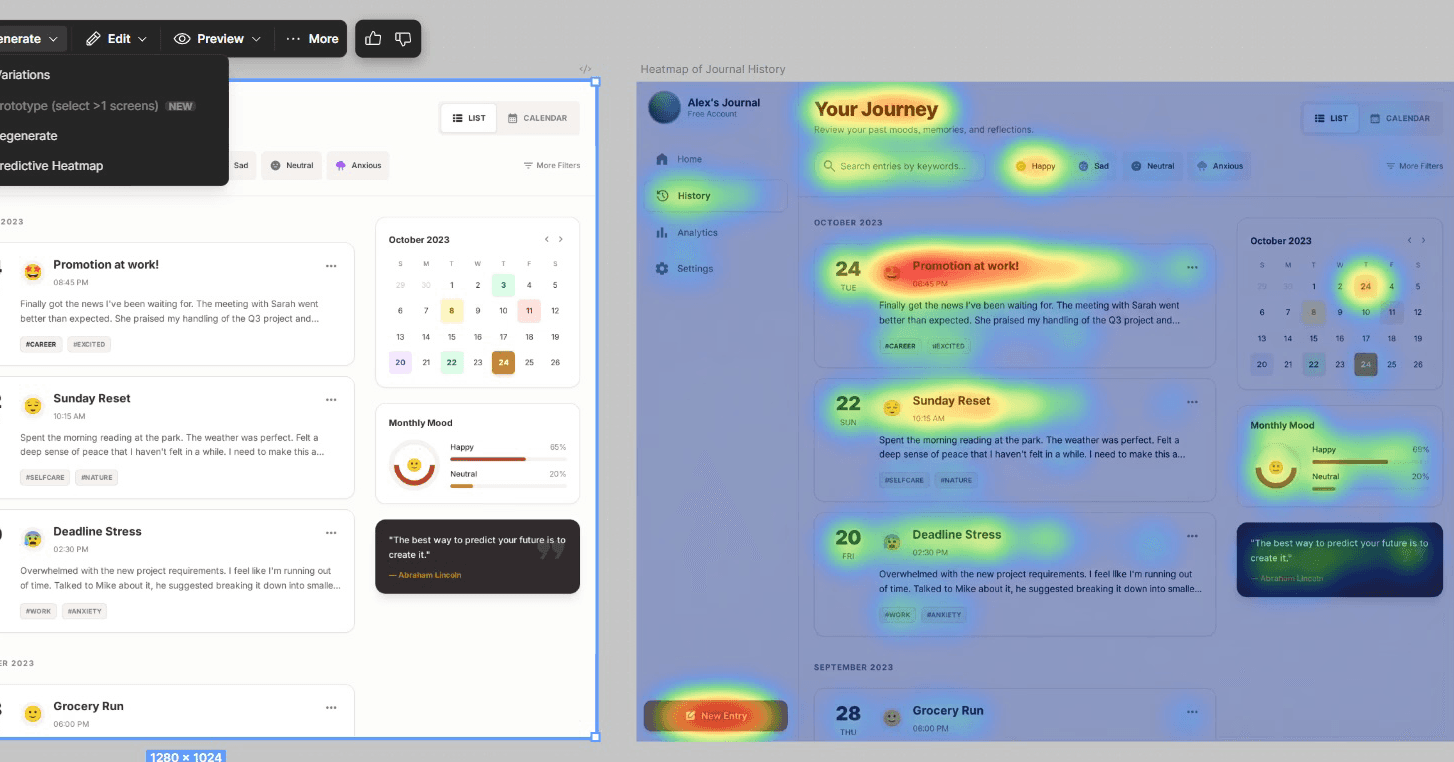
3. Generate the heatmap with Stitch
Use Stitch’s prediction tool to visualize attention hotspots and understand where users may focus first.
Reflections
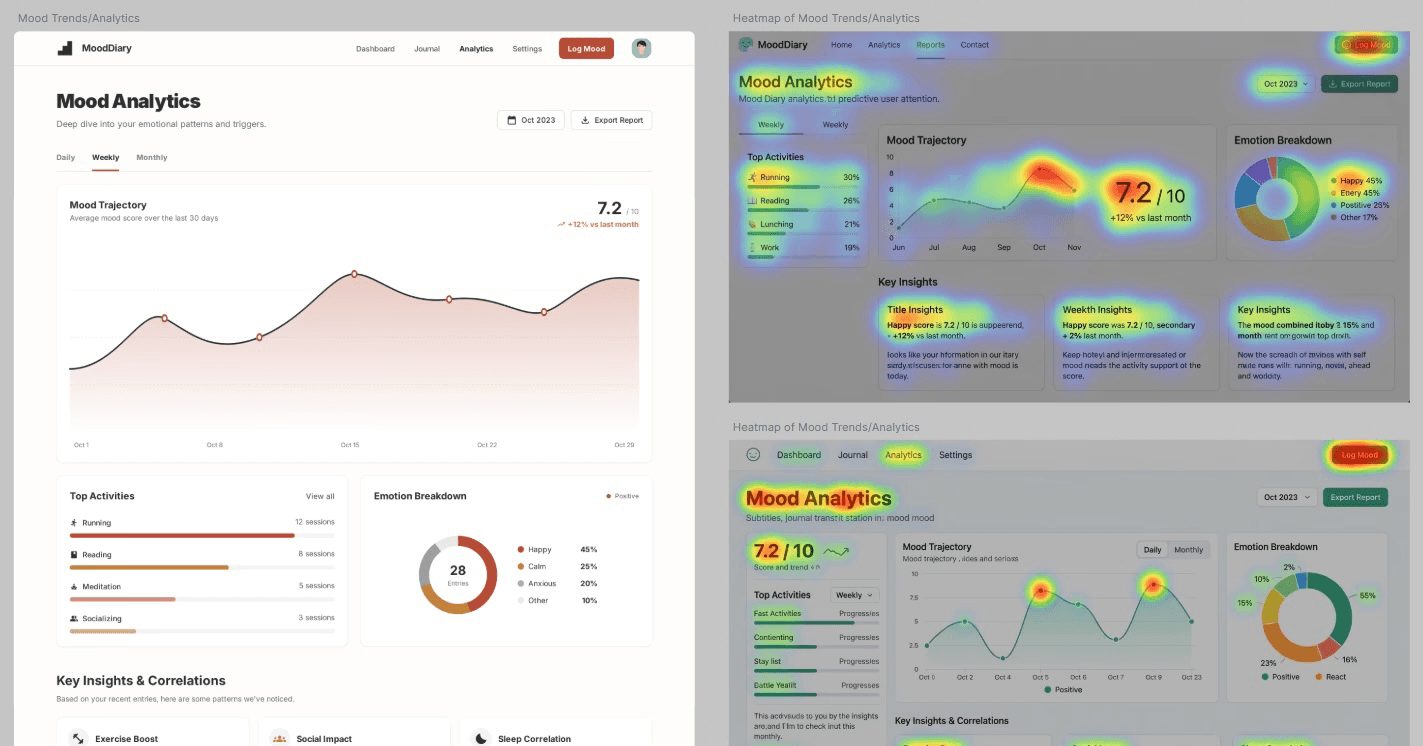
Using Stitch to predict heatmaps gives a fast way to evaluate key actions and understand visual hierarchy. It helps reduce early development effort when user testing isn’t possible. The tool is still new, so the results can be inconsistent. One of my tests even showed a heatmap from an entirely different screen, reminding me to use the insights with caution.
Looking Ahead
I’m excited to apply tools like this to strengthen early stage evaluation. While AI-generated heatmaps offer great insights, designers still need to interpret the results with intention and make the right decisions. As these tools evolve, they’ll become a powerful complement but not a replacement to human judgment.