Accessibility
Published:
2026/02
Tools
BrowserStack
Workflow
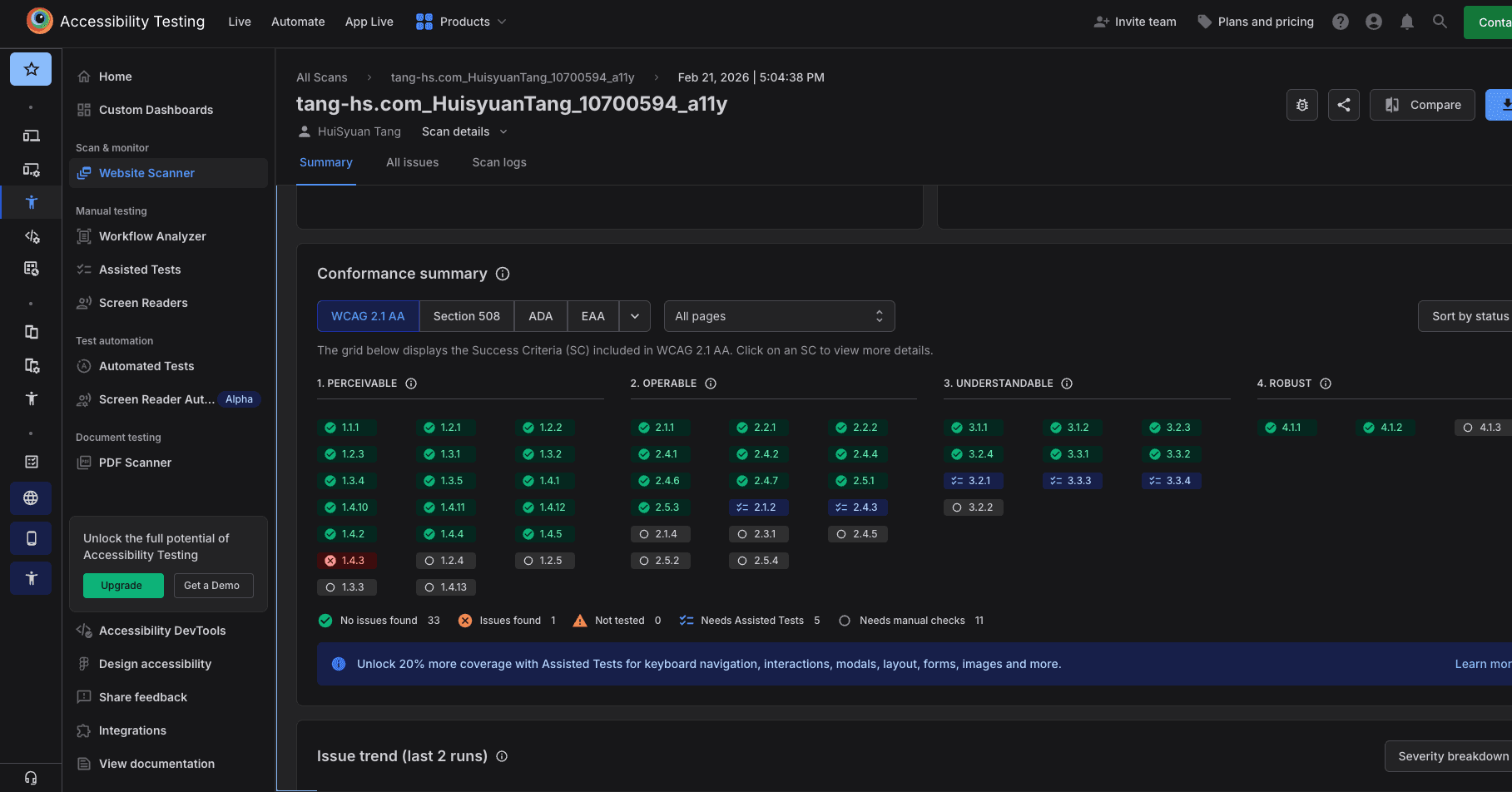
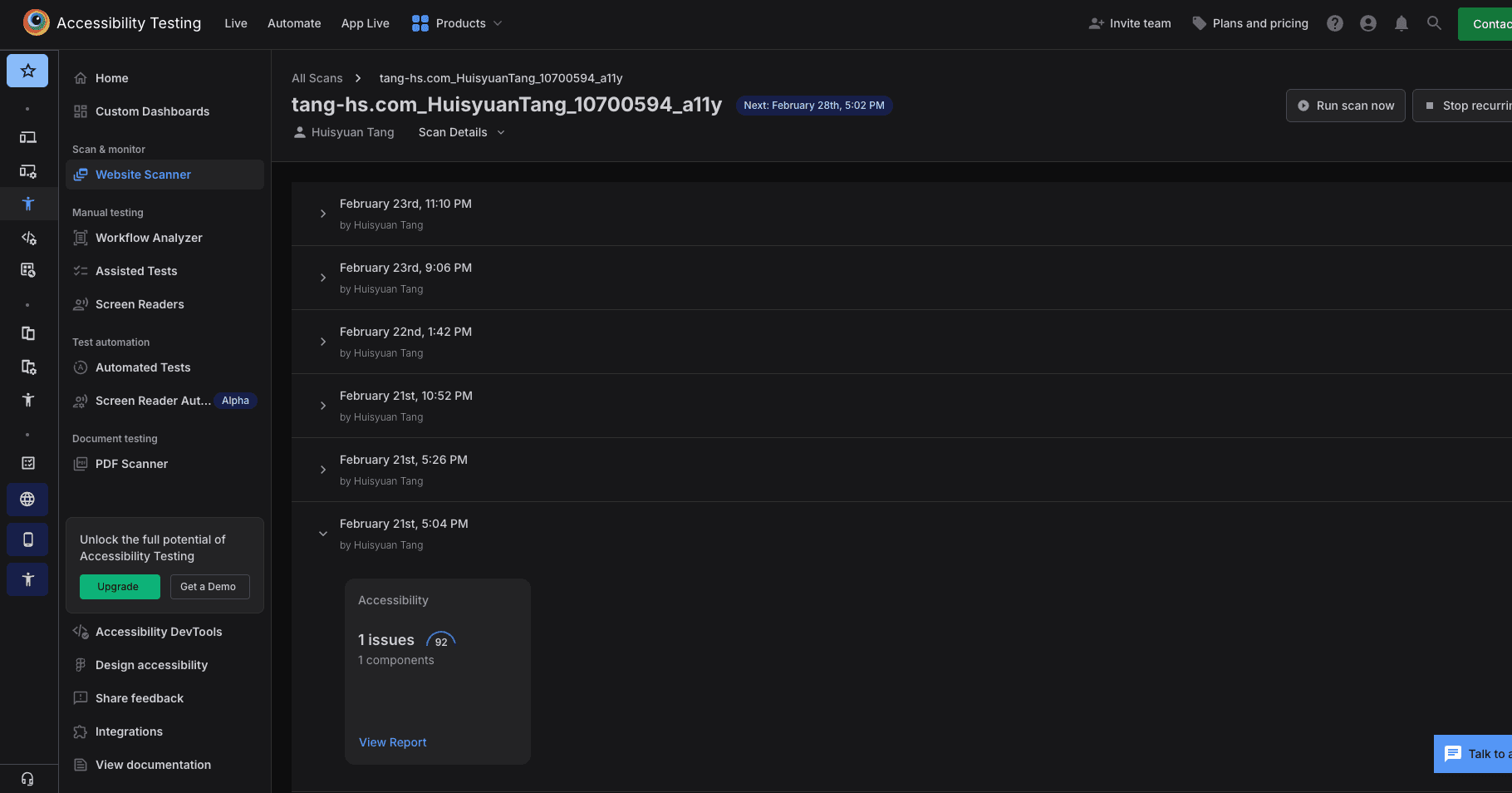
1. Scan the target page and review accessibility score and failed rules
Enter the project URL in BrowserStack to scan a specific portfolio page for accessibility issues. View the overall score and which WCAG criteria failed, then dive deeper into each issue.
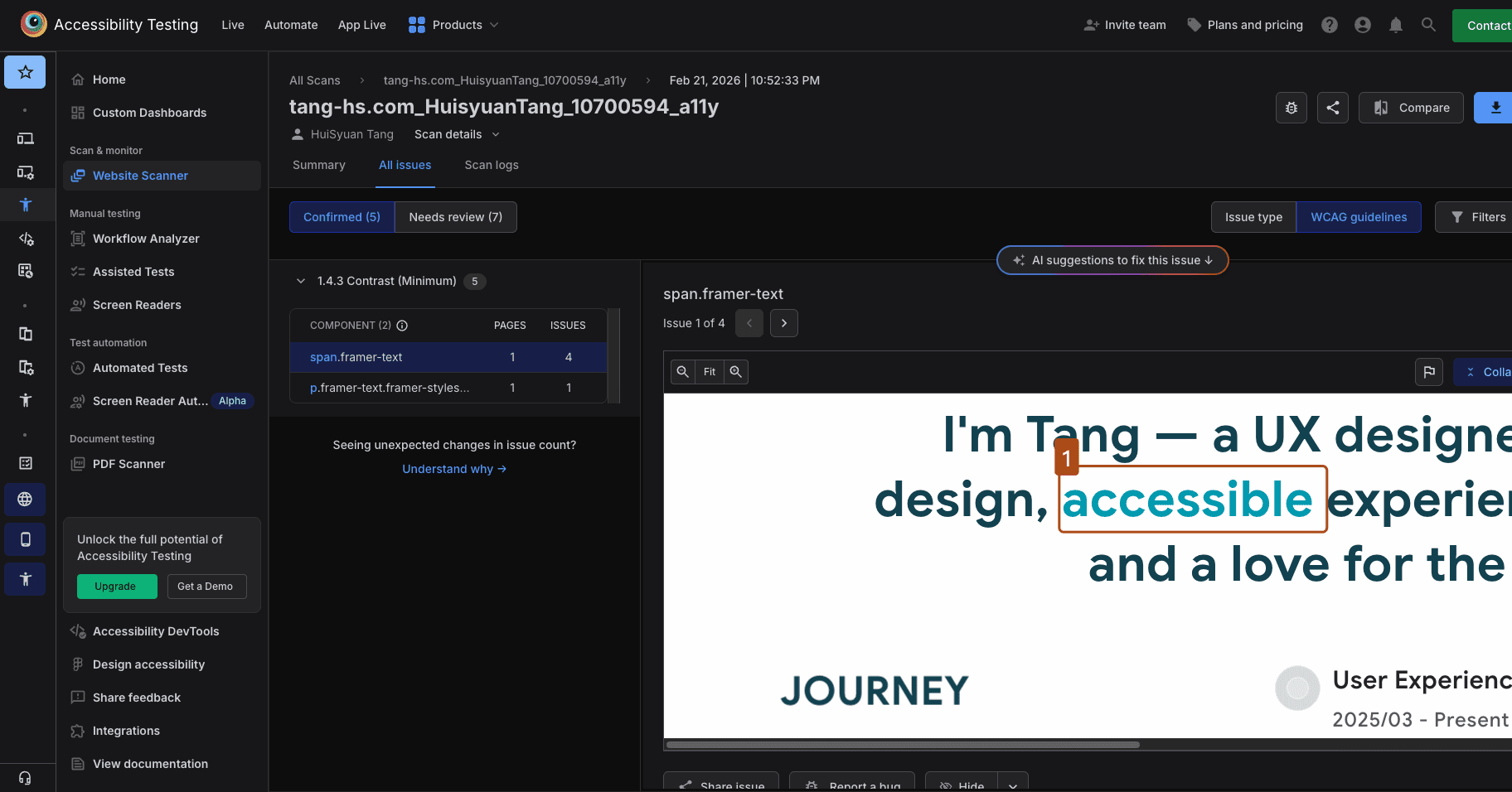
2. Identify problematic elements
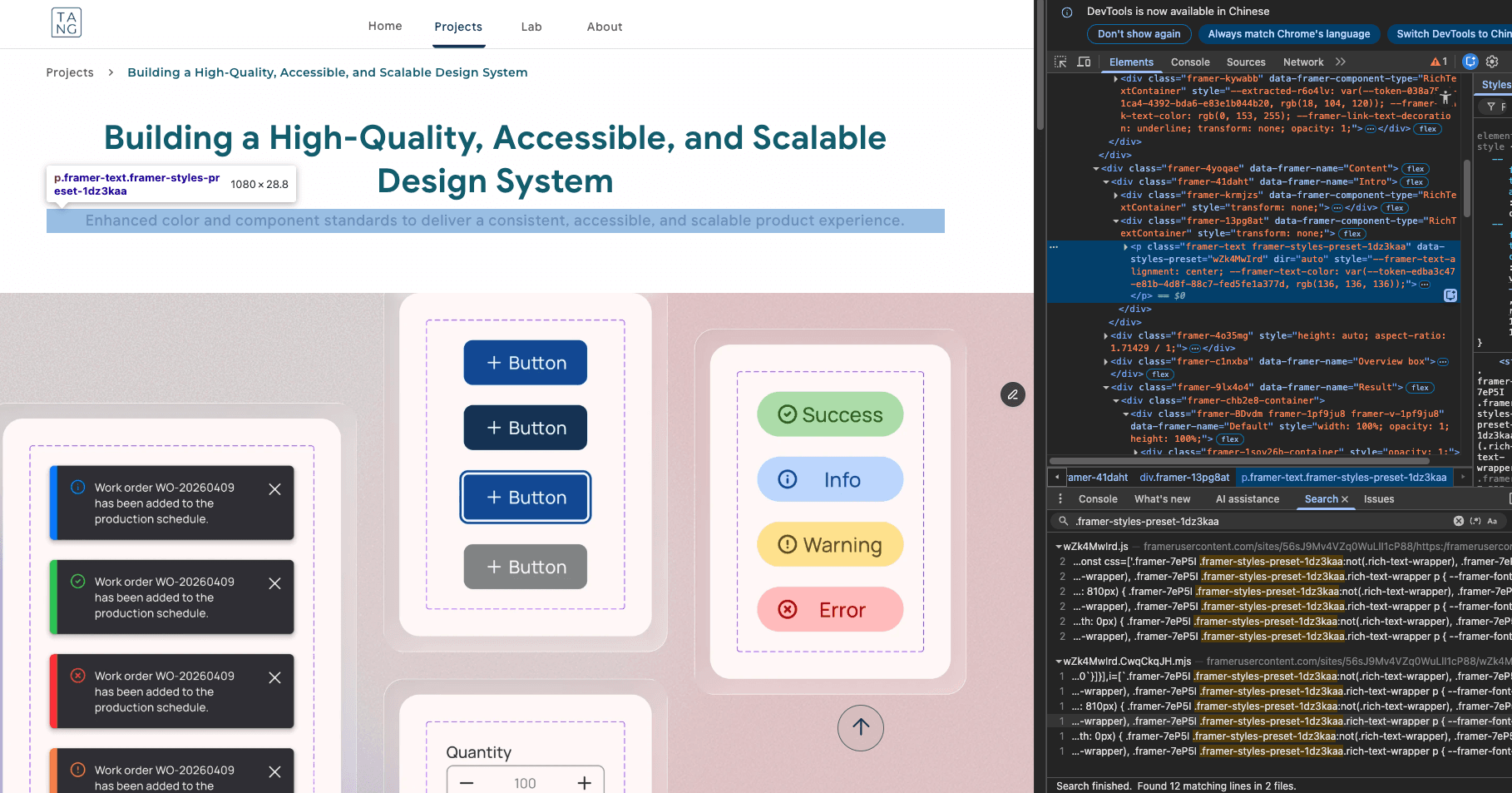
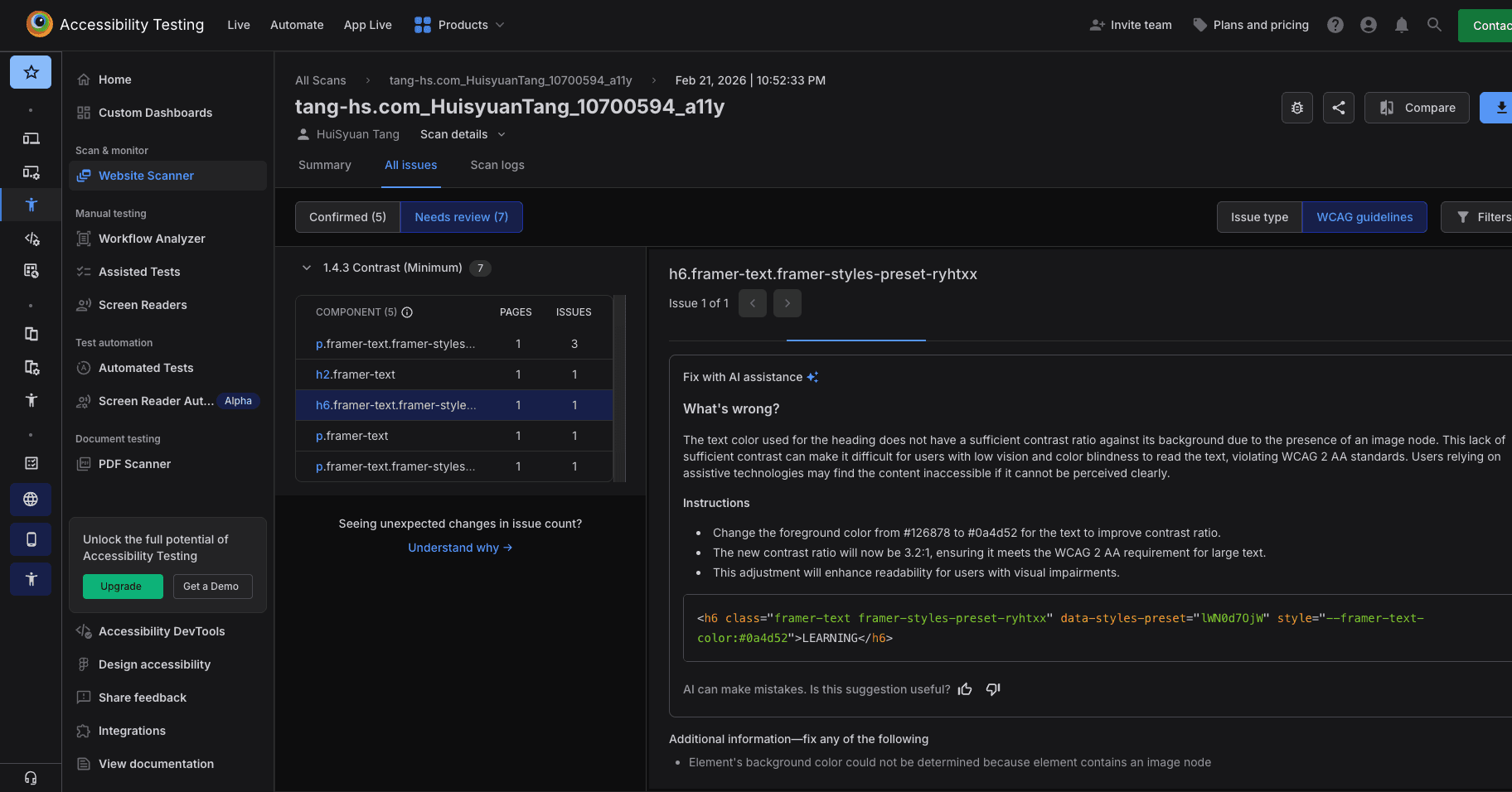
Use the detailed report to locate affected elements. In this case, the primary issue was color contrast. BrowserStack provided clear error explanations and the related CSS selectors.
3. Adjust the design in Framer
Update the light grey text to a darker grey to meet WCAG AA contrast requirements.
4. Re-scan for validation
Run the scan again to confirm that the issue is resolved and the score improves.
Reflections
Using BrowserStack significantly shortened the time needed to review accessibility. The tool scans the page against WCAG guidelines, clearly indicates which criteria fail, and provides specific explanations and suggestions for improvement. Instead of manually checking each rule, I could quickly identify issues and move directly to fixing them. It made accessibility validation more systematic and efficient.
Looking Ahead
In the future, accessibility checks should start earlier in the process. For example, when defining color styles, small text on primary background colors should already be tested against WCAG AA standards. Even when accessibility is considered during design, oversights can still happen. Regularly using testing tools as part of the workflow ensures designs remain inclusive and reliable.