Vibe Design
Published:
2026/03
Tools
Claude, Stitch, MagicPath
Workflow
1. Conduct research with AI
Use Claude to gather market and product insights for restaurant management platforms across different countries.
2. Define tasks and generate structured prompts
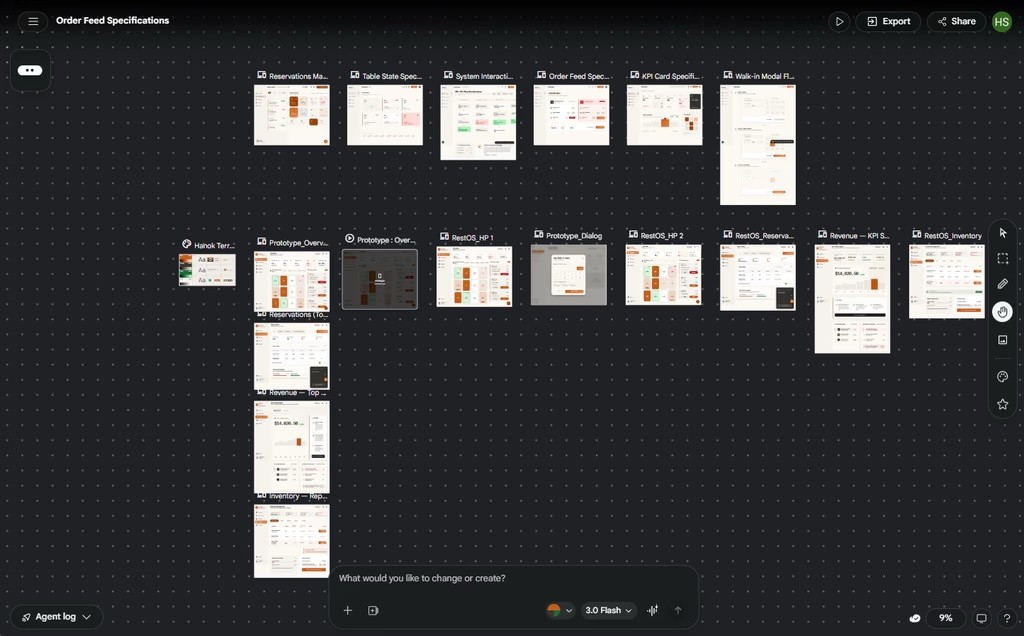
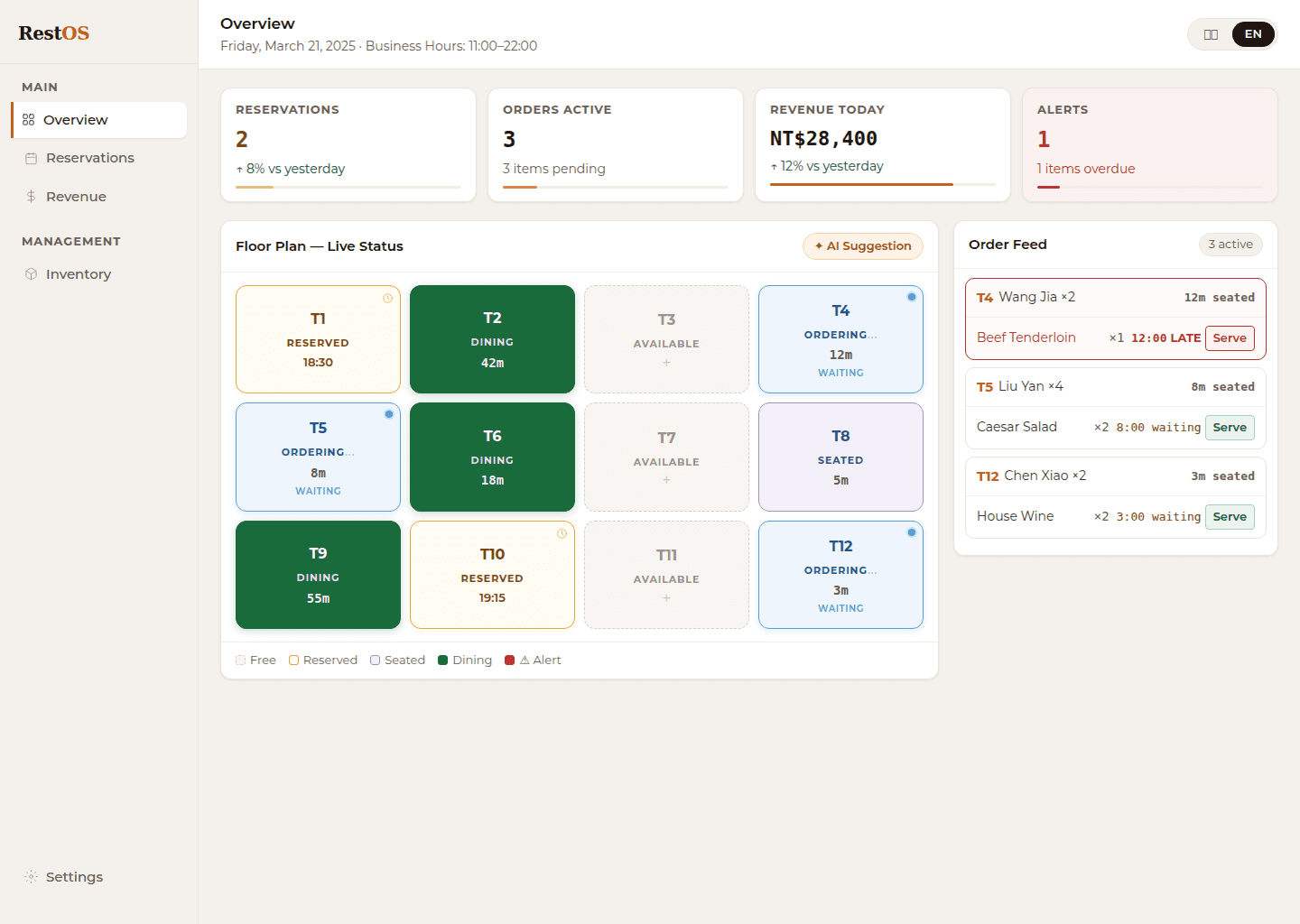
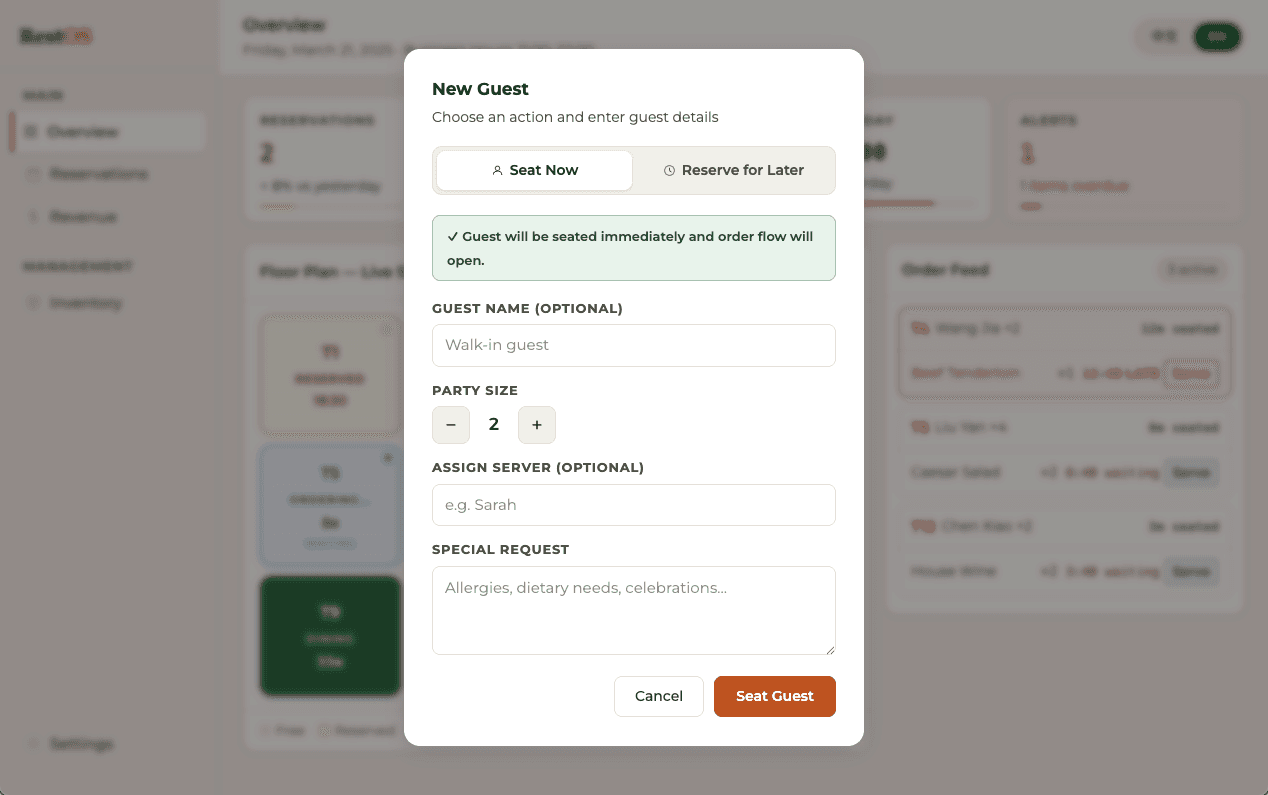
Translate research into clear product scenarios and task flows. Design a use case where staff manage reservations, assign walk-in customers to seats, and monitor real-time order status.
3. Specify core features and logic
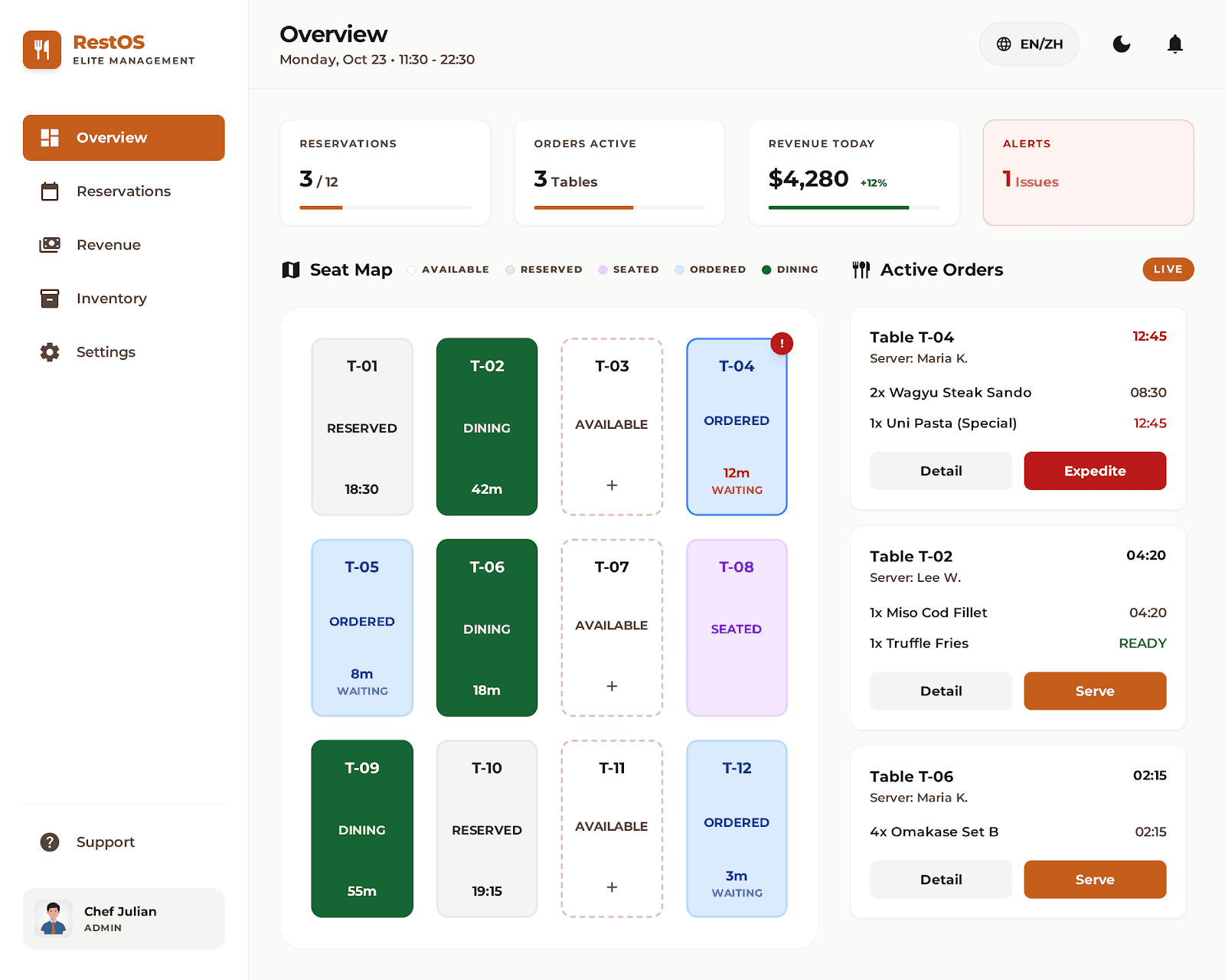
Reservation Overview Dashboard: View real-time reservation status, including booked, available, and occupied seats in a centralized overview.
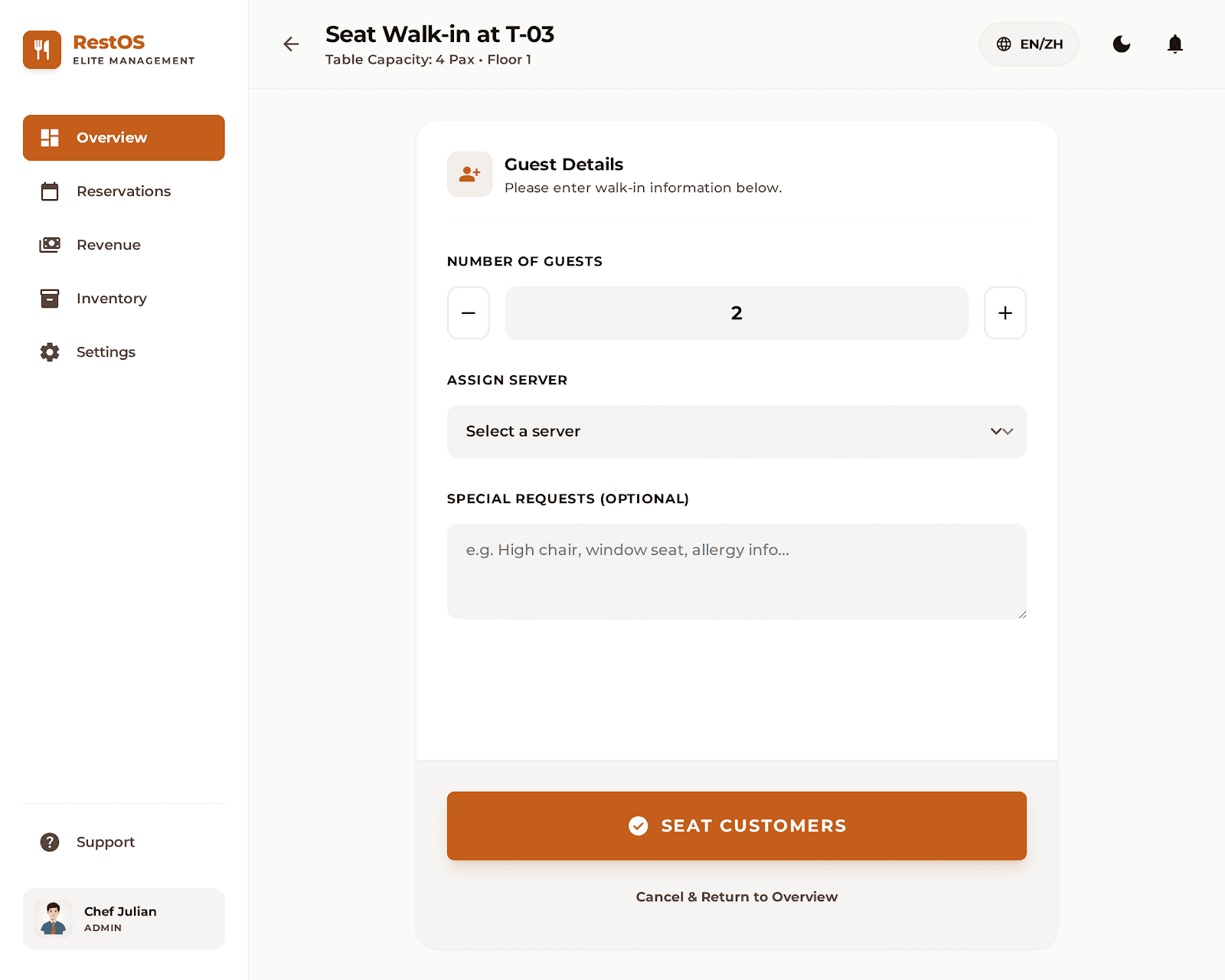
Walk-in Seat Assignment: Assign seats to walk-in customers based on current availability and update the status to “Seated” instantly.
Real-Time Order Visibility: Display order details in the overview once customers submitted, allowing staff to monitor all active orders at a glance.
Order Status Tracking: Track each dish with clear status indicators such as “Ordered” or “Dining,” along with waiting time for each item.
Delay Alert System: Highlight orders that exceed a 10-minute waiting time with warning indicators to help staff take immediate action.
4. Build a consistent design system
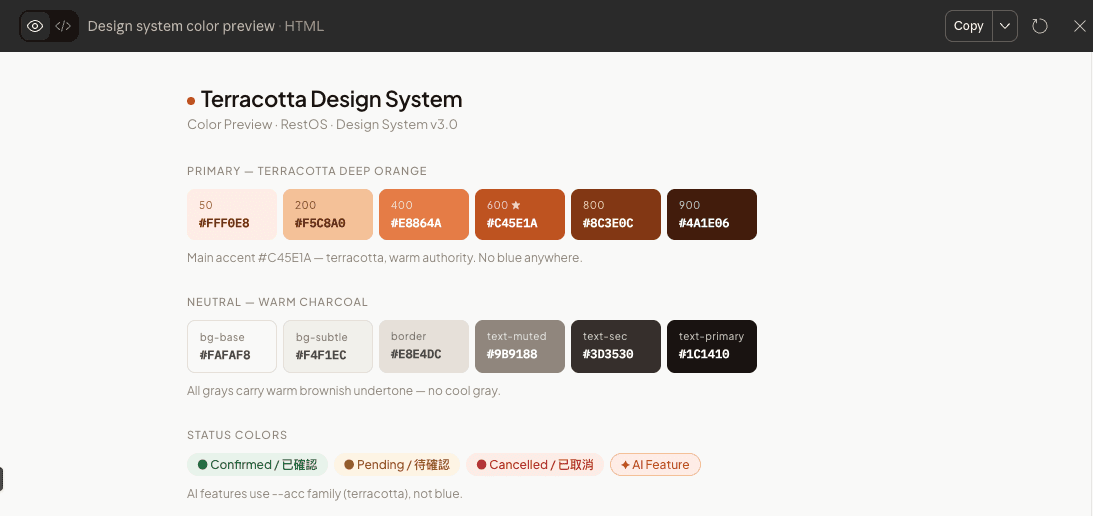
Create a new design system with a warm yet structured visual style. Use Claude to generate design tokens and translate them into Stitch (DESIGN.md) and MagicPath (CSS format).
Color Palette
Background layers:
--bg-base: #FAFAF8 (main background)
--bg-surface: #FAF8F5 (card / panel)
--bg-elevated: #F2EDE4 (hover, modals)
--bg-overlay: #EDE8DF (secondary panels)
Primary accent: #C45E1A (CTAs, active nav state, key interactive elements, progress bar fills)
Typography
Headlines: Montserrat, semi-bold (700), letter-spacing +0.04em
Display values: Montserrat, bold (600), letter-spacing +0.04em
Body: Montserrat, regular (400), 16px, letter-spacing +0.06em
Labels: Montserrat, semi-bold (600), 14px, uppercase, letter-spacing +0.06em
Nav items: Montserrat, medium (500), 14px, letter-spacing +0.06em
Component Rules
Buttons: Rounded (4px), primary uses solid #C45E1A fill with white text
Nav items: Left border 3px, bg #C45E1A and text #FAFAF8 on active, radius 4px; transparent bg and text #1C1410 on default
KPI Cards: #FAFAF8 bg, 4px radius, 14px/16px padding, 10px uppercase label, 24px Montserrat, 3px progress bar
Do's and Don'ts
Do use #C45E1A sparingly — only for the single most important action per view and active nav state
Do maintain normal whitespace — if a screen feels empty, increase padding rather than adding borders
Don't use sharp edges on any element — minimum is 4px (radius-sm) across the entire system
5. Ensure consistency and accessibility
Refine prompts to enforce design consistency across screens and meet accessibility standards, including sufficient color contrast and reusable components like a fixed sidebar.
Prompts: Ensure sufficient color contrast, especially for small text (minimum 14px).
Prompts: This screen's sidebar must match the "Overview (Accessible & Consistent)" screen exactly. Replicate this sidebar without any modification. ACTIVE NAV ITEM: Reservations
Reflections
This process showed how AI can be guided to deliver consistent design outcomes when given clear structure and constraints. By defining tasks, features, and design rules upfront, I reduced ambiguity and achieved more predictable results with fewer iterations. It also highlighted that prompt precision plays a key role in maintaining UI consistency across screens. Moving forward, I see AI not just as a generation tool, but as a system that requires clear instruction and governance. The ability to structure tasks and control outputs will be essential to scale both speed and design quality.